Cudy
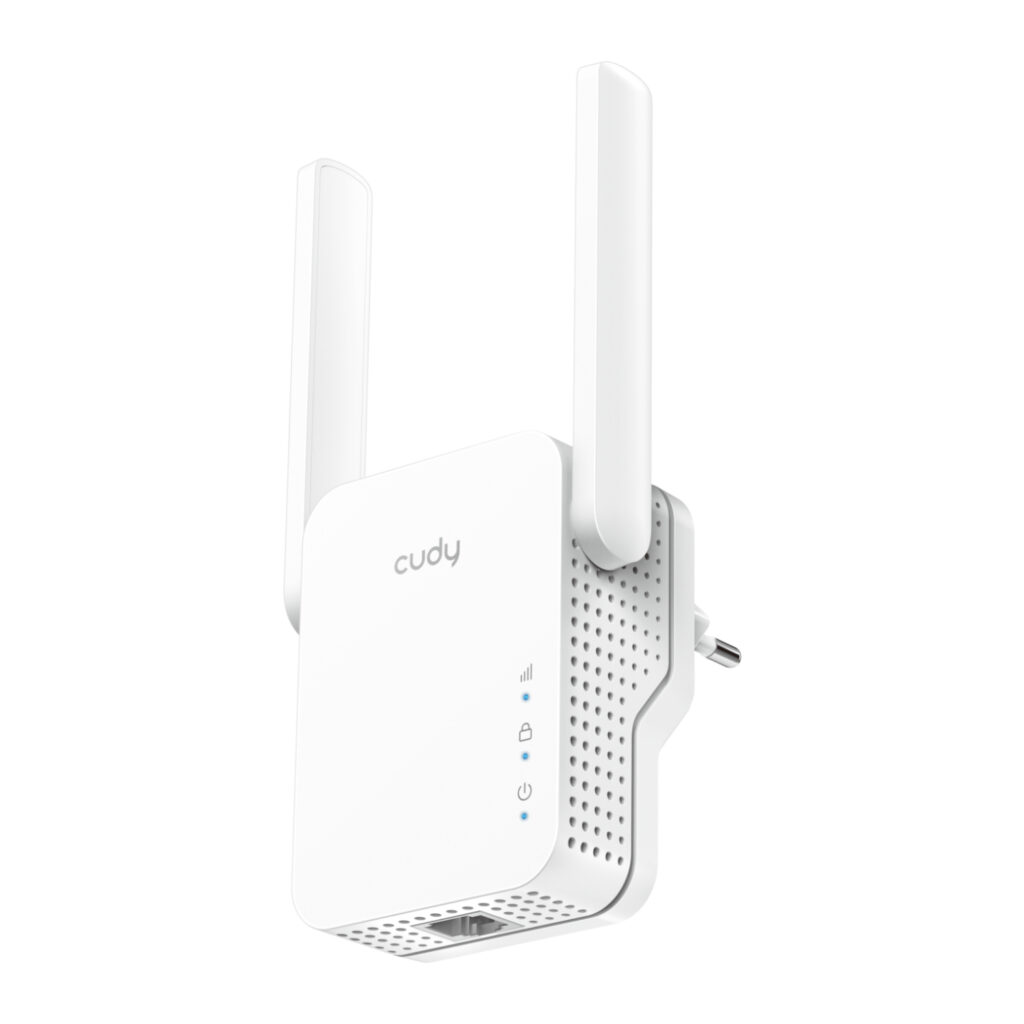
Cudy N300 Mesh Wi-Fi Range Extender | Wall Plug
Cudy N300 Mesh Wi-Fi Range Extender | Wall Plug Category: Range extenders & access points. Specifications: Colour: White; Warranty: 24 Months; EAN: 6971690795351. Availability: in stock, ships from our South African warehouse. Warranty: 24 Months. Price: R 399,00 (ZAR). Shop online at supplyd.co.za.
SKU: RE300
Why We Chose This
We selected the Cudy N300 for its exceptional value in eliminating Wi-Fi dead zones without breaking the bank. Its mesh compatibility allows seamless integration with existing Cudy networks, making it a smart choice for South African homes needing reliable, affordable coverage. The 300Mbps speed and 30-device support ensure smooth performance for everyday use.
Free delivery on orders over R3,000
Specifications
Product Description
Eliminate Wi-Fi dead zones and enjoy seamless connectivity throughout your home with the Cudy N300 Mesh Wi-Fi Range Extender. This wall-plug extender boosts your existing network, covering up to 130 meters and delivering speeds up to 300 Mbps on the 2.4 GHz band—perfect for browsing, streaming, and connecting up to 30 devices.
Key Features
- Extends Wi-Fi coverage up to 130 meters to eliminate dead zones
- 300 Mbps speed on 2.4 GHz for smooth browsing and streaming
- Compatible with Cudy Mesh networks for a unified Wi-Fi experience
- Supports up to 30 devices simultaneously
- Simple setup with WPS button and signal strength indicators
Why You'll Love It
Whether you're working from home, streaming movies, or gaming, the Cudy N300 ensures reliable coverage in every room. Its compact wall-plug design saves space, and the mesh compatibility means you can expand your network effortlessly.
Frequently Asked Questions
Does this extender work with any router?+
Yes, it works with any standard Wi-Fi router. For mesh functionality, it integrates best with Cudy mesh routers.
Can I use it without a Cudy mesh router?+
Absolutely. It works as a standard range extender with any router, but mesh features require a Cudy mesh network.
How do I set it up?+
Simply plug it in, press the WPS button on your router and then on the extender, or use the web interface for manual setup.
Complete Your Setup
Pair this with complementary gear hand-picked to match your setup.
Looking for something else?
Browse related categories and zones.