ASRock
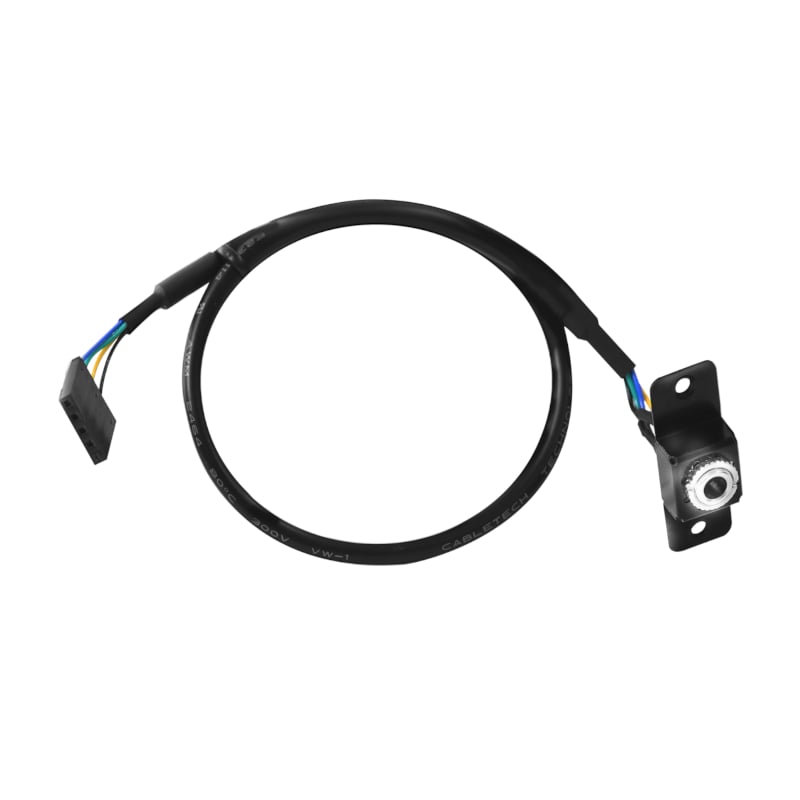
ASRock DESKMINI Rear 3.5mm AUX Audio Cable Kit
SKU: 90-BXG3G0-A0XCR2W
Why We Chose This
We selected this cable kit because it solves a common limitation of the ASRock DeskMini X300: the lack of a rear audio jack. It's a simple, affordable upgrade that adds convenience and flexibility for connecting external audio devices without cluttering the front ports.
Add a rear 3.5mm audio jack to your ASRock DeskMini X300 for connecting speakers, headphones, or a soundbar.
We'll notify you via WhatsApp when stock arrives
Product Description
Add a rear 3.5mm audio jack to your ASRock DeskMini X300 with this dedicated audio cable kit. Perfect for connecting external speakers, headphones, or a soundbar, it plugs directly into the motherboard for reliable, high-quality sound.
Key Features
- Adds a 3.5mm audio jack to the rear of the ASRock DeskMini X300 chassis
- Connects directly to the motherboard's audio header
- High-quality cabling for reliable performance
- Designed specifically for ASRock X300 series
Why You'll Love It
Easily expand your audio options without internal modifications. Enjoy crisp sound from your favourite external audio devices.
📋 View full supplier specifications →
Expand the audio of your ASRock X300 with the ASRock DESKMINI Rear 3.5mm AUX Audio Cable. It connects easily to your X300 motherboard and adds a 3.5mm audio jack to the rear of the chassis. This high-quality cable will give you reliable performance and long-lasting usage. This is perfect for anyone looking to add external audio devices such as 2.1 channel speakers, a soundbar or headphones to their ASRock Deskmini X300.
FEATURES:
- Additional 3.5mm audio jack
- Connects directly to your motherboard
- High-quality cabling
- Designed for ASRock X300
- Can be used with speakers, headphones or a soundbar
SPECIFICATIONS:
- Interface: PCB Audio header connector, 3.5mm audio
- Colour: Black
WHAT'S IN THE BOX:
- ASRock DESKMINI Rear 3.5mm AUX Audio Cable x1
Frequently Asked Questions
Is this cable compatible with ASRock DeskMini A300?+
It is designed for the X300 series. Compatibility with A300 may vary; check your motherboard header.
Does this cable support microphone input?+
No, it is a stereo audio output only (3.5mm AUX).
Can I install this without opening the case?+
Yes, it connects to the motherboard header inside the case, but you need to open the chassis to plug it in.
Looking for something else?
Browse related categories and zones.