Antec
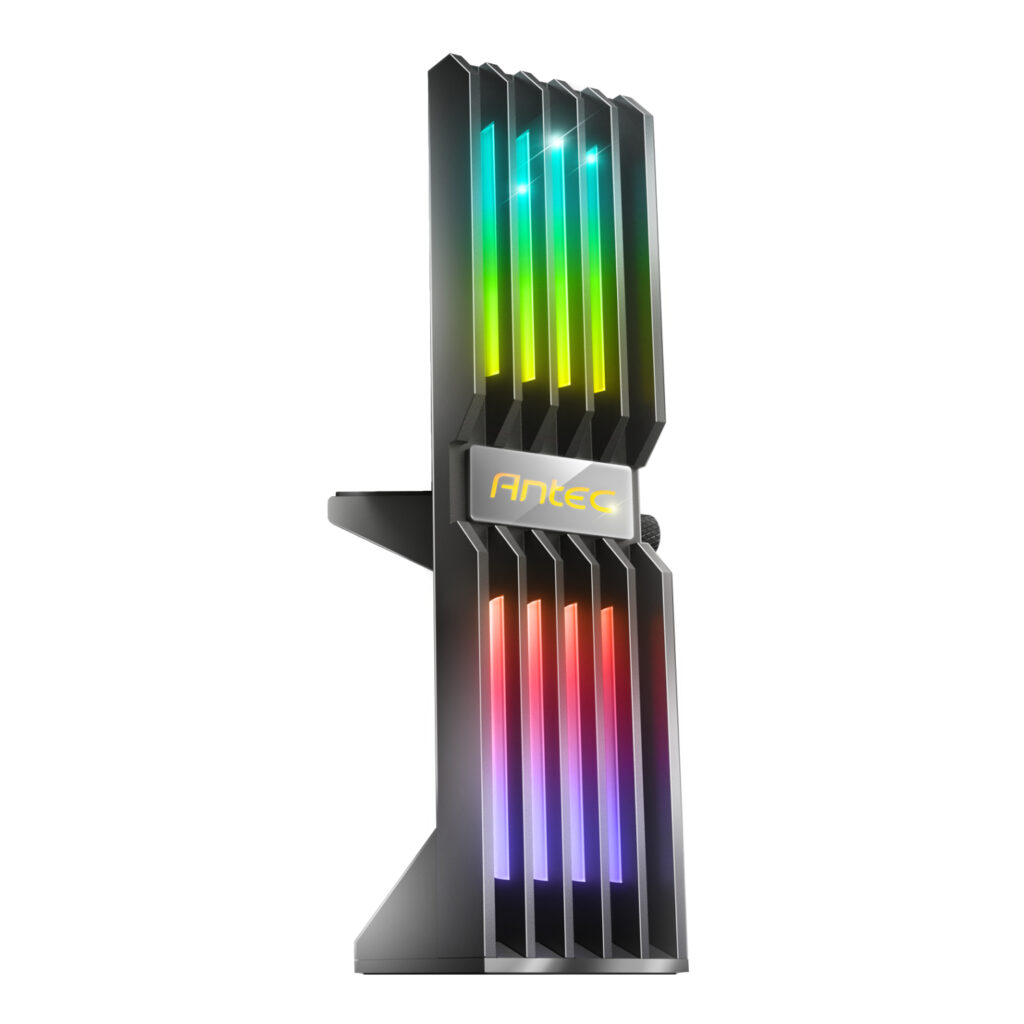
Antec ARGB GPU Holder
Antec ARGB GPU Holder Category: Internal brackets and adapters. Specifications: Colour: Black; Warranty: 12 Months; EAN: 761345777056. Availability: in stock, ships from our South African warehouse. Warranty: 12 Months. Price: R 299,00 (ZAR). Shop online at supplyd.co.za.
SKU: AT-GPUH-ARGB-BK
Why We Chose This
We selected the Antec ARGB GPU Holder because it combines essential GPU sag protection with customisable RGB lighting, a rare feature at this price point. Its adjustable column ensures compatibility with virtually any modern GPU, making it a practical and stylish choice for South African builders.
Free delivery on orders over R3,000
Specifications
Product Description
Protect your high-end graphics card from the damaging effects of GPU sag with the Antec ARGB GPU Holder. This adjustable support column not only safeguards your investment but also adds a vibrant, customisable ARGB lighting effect to your PC build. Compatible with the latest AMD Radeon and Nvidia GeForce RTX series, it ensures perfect alignment and robust support for years to come.
Key Features
- Adjustable support column for perfect alignment with any GPU
- Customisable ARGB lighting to match your build
- Broad compatibility with AMD and Nvidia graphics cards
- Robust construction for long-lasting performance
- Easy installation with included mounting hardware
Why You'll Love It
Keep your graphics card level and your rig looking stunning. The Antec ARGB GPU Holder is the simple, effective solution to prevent sag and add a personalised touch to your PC.
Frequently Asked Questions
Is the Antec ARGB GPU Holder compatible with all graphics cards?+
Yes, it supports both AMD Radeon and Nvidia GeForce GPUs, including the latest RTX 40 and RX 7000 series. The adjustable column ensures a perfect fit for most card sizes.
Does the ARGB lighting require a specific motherboard header?+
The holder uses a standard 3-pin ARGB connector, compatible with most modern motherboards that have a 5V ARGB header. It can also be controlled via an included controller if your motherboard lacks one.
How do I install the GPU holder?+
Simply place the holder under your graphics card, adjust the support column to the desired height, and secure it in place. The base is magnetic or adhesive, depending on your case material.
Complete Your Setup
Pair this with complementary gear hand-picked to match your setup.
Looking for something else?
Browse related categories and zones.